
One of the best things about working in graphics is that at least some of the bugs one encounters are – in some way, shape, or form – funny. I’ve always liked the “accidental art” that often comes out of this, and had my fair share of that myself … and every time I tell myself “you should archive this” – and then go on chasing the bug, and forget all about it. Not this time.
Here’s one “accidental art” / “hilarious image of the day” situation that I just ran into before even having had my first coffee … and which already made my day.
It all started with me hacking something up into barney to dump some points – I’m working on some kNN-query related project, needed to simulate some “LIDAR”-kind of data, and decided to just generate some by taking an outdoors scene (PBRT’s “landscape” model), letting barney trace some rays into it, and just dumping the first hit point.
Now to verify that these points are actually useful, I decided to just load those points into barney, and just render them as spheres (haystack has some handy command-line options to do that without any extra work). And what I get is this:
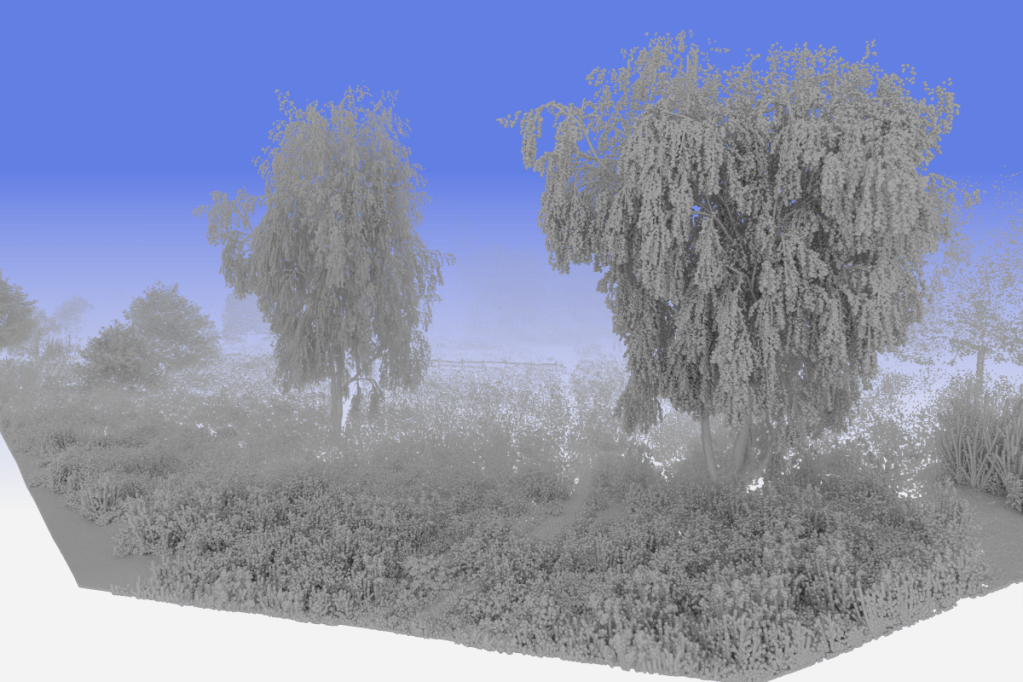
Now at first that looks good – certainly good enough to use for knn queries.
But… I did seem to see some sort of un-expected pattern in this image (after years of staring at images to find bugs I’ve gotten pretty good at it  ), and since any rendering bug would be worth chasing down independent of the knn project I – of course – couldn’t let this go.
So, navigating closer (the perks of having fast ray tracing, i guess) shows this:

And yes – certainly some rendering bug on those spheres. For sure.
I first blamed the denoiser – probably halluciating something onto those spheres …. but no, even after refining for several seconds it doesn’t go away. Not a denoiser bug.
“Obviously” that then means there’s some numerial issue – surface acne for the shadow rays or something like that. Need to get just a little bit closer to see it better ….
And that then shows the actual reason for these rendering artifacts:

Turns out all that happend is the the default material I had chosen in haystack – my “DisneyMaterial” – has, by default, a low but non-zero glossy/reflective component on it … and those “artifacts” are all just reflections of the entire scene …
Duh. So many incoherent rays going all around in that scene (default path depth of 10 :-/), and one doesn’t even notice any more ….

